Markup
A coefficient on the supplier price, by rules
free
Request this plugin
The file is not uploaded yet — write to us and we will send it.
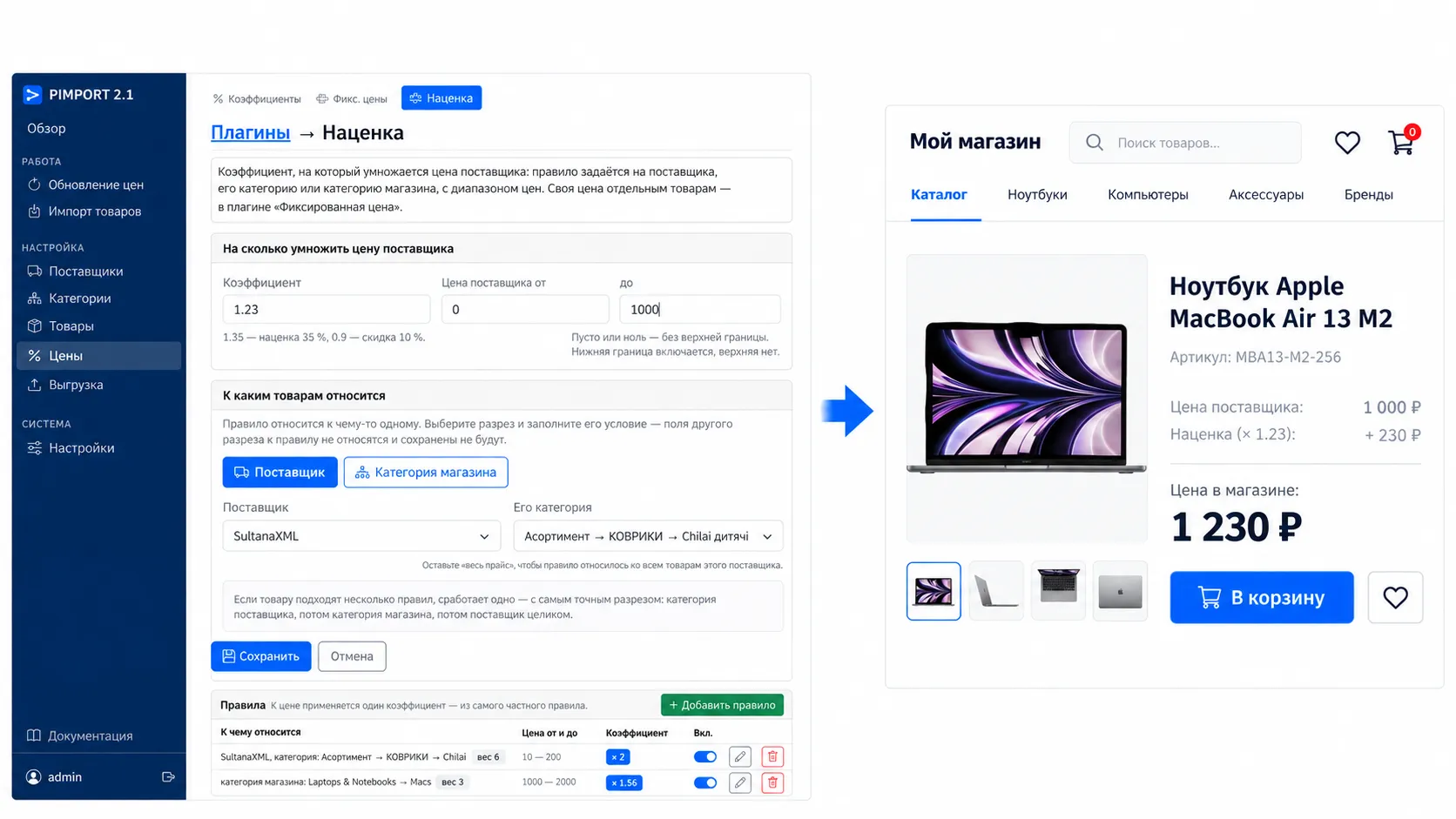
A rule is set for a supplier, one of their categories or a store category, with a price range: one markup on cheap goods, another on expensive ones. The most specific rule wins. A fixed price for particular items lives in “Fixed price”, discount percentages in “Discounts”, the tidy tail in “Price rounding”.
Plugins
Image processing
Pictures from the description, one size, a watermark freeDiscounts
A percentage per supplier, category, brand or SKU $20Value replacements
“Change this to that” rules for titles, descriptions and attributes freeCatalogue export
A feed for Rozetka, Prom, Satu, Kaspi and Yandex.Market $35SEO meta tags
Product meta tags from a mask, a separate one per store category $35Update rules
What may change on a product and what must not freeFixed price
Your own price for particular SKUs freePrice rounding
Drop the small change, round up to ten, end the price in “…9” freeRelated products
The “related items” block, filled by itself $20Combined products
The same product from several suppliers as one card $50Excel price feeds
A feed as a table: XLS, XLSX or CSV freeFeed collector
No feed — we collect the data from the supplier pages freeProduct sorting
Out of stock drops to the bottom, hand-made products stay on top free
Need something the program does not do yet? We will build it
Describe the task — we look at it and name the price and the term before starting, the same as with a connection. The work is one-off: what we write stays with you and keeps running without us.
Connect a supplier