SEO meta tags
$35Fills in product meta tags from a template, a separate one per category.
Sets which values in the source count as stock and which count as none.
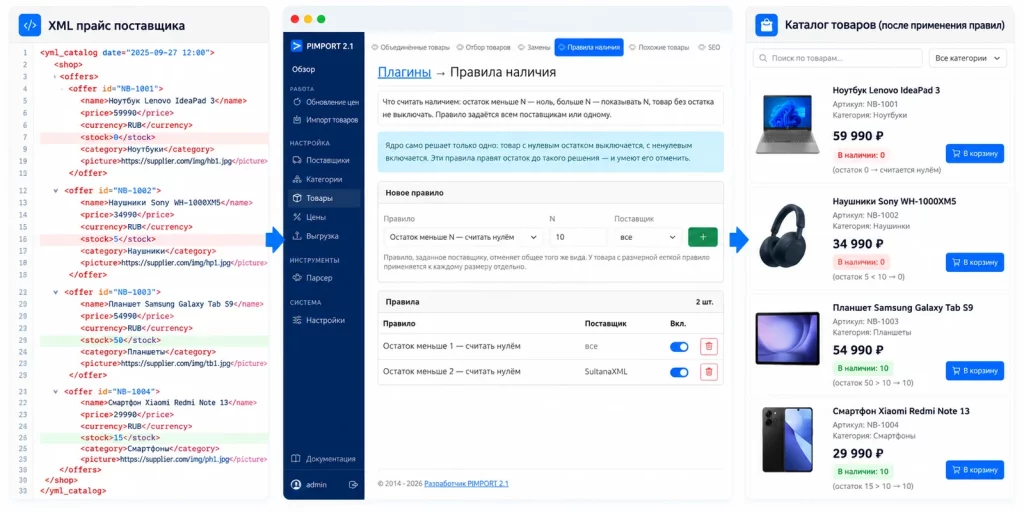
With a threshold of 3 the same 5 stays as 5. The example uses a numeric stock level; a feed that only carries a yes/no flag has no number to compare.
Checked by an automated test of the current version on 8 October 2026. The numbers are sample data, not a price list.
One item left at the supplier — show it or not; ten thousand — print that in the shop window or hide it behind a sensible number; a supplier who sends no stock figures at all — switch their products off or keep them on. Four rules, set for all suppliers or for one, applied to every size separately.
Tell us your store and the plugin name. We'll explain how to get the file and connect it to your version of PIMPORT.
How to switch a plugin on and in what order they apply — in the documentation
Fills in product meta tags from a template, a separate one per category.
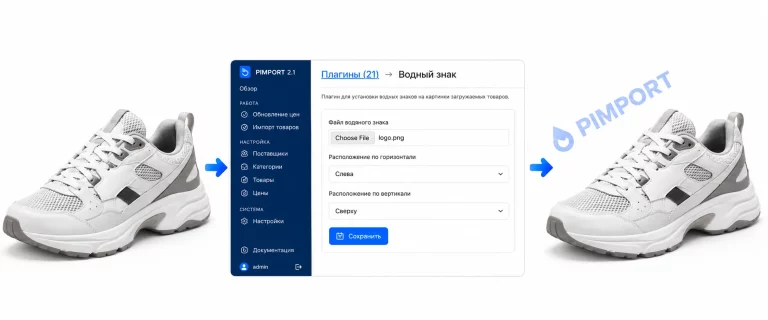
Loads images from the description, brings them to one size and adds a watermark.
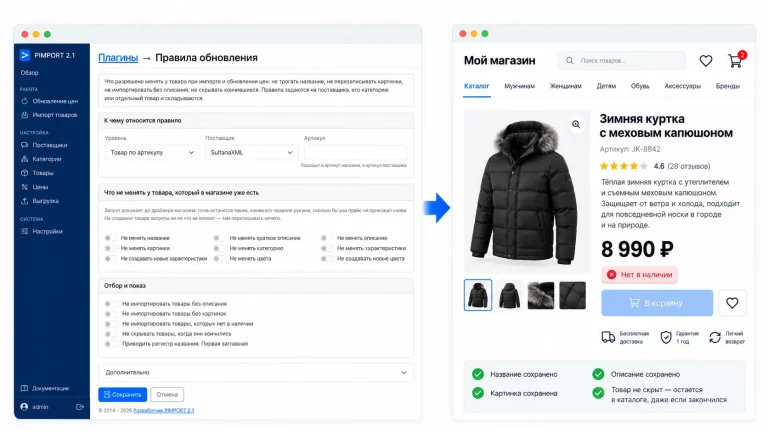
Sets which product fields are updated on import and which are kept as they are.