Demo
Two things go by the word demo here. One is the screens below — what the program looks like from the inside. The other is your own feed: send a link and we show 20 of your products the way they will land in the store.
How it works, on screen
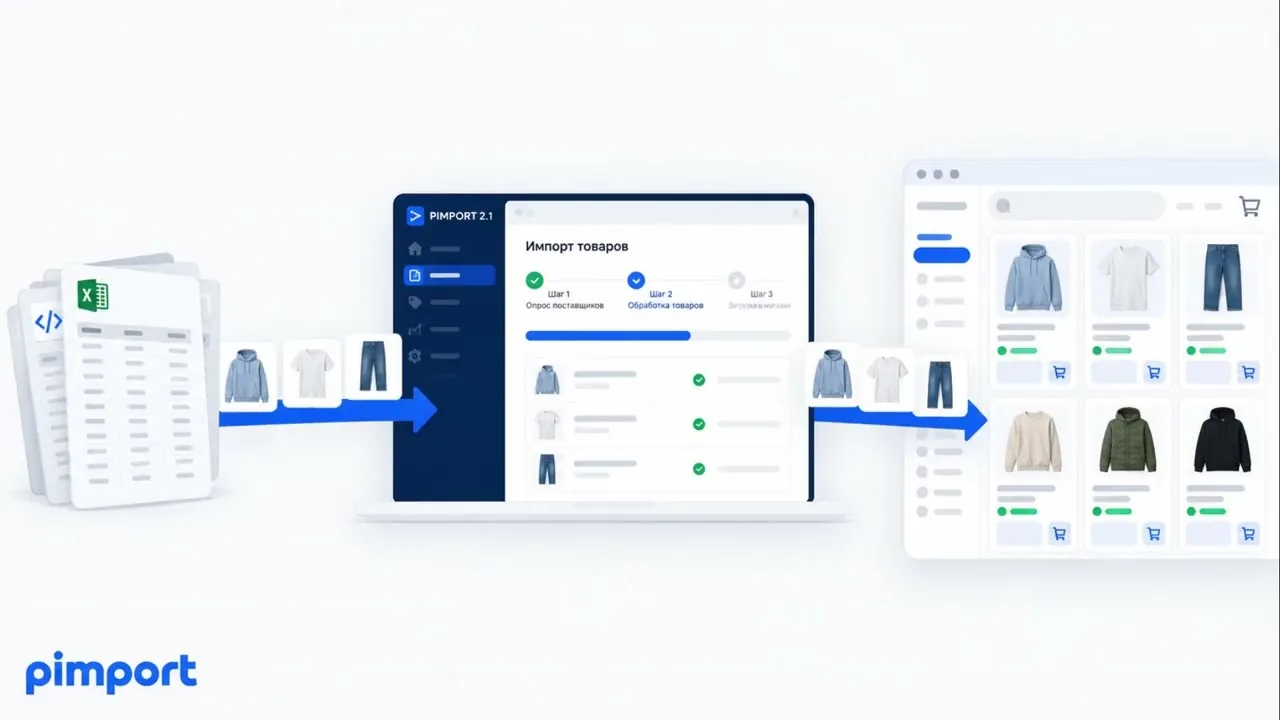
A screen recording: the supplier feed on one side, the products appearing in the store admin on the other. Recorded on WooCommerce; on the other platforms the steps are the same and only the admin looks different.
Category mapping
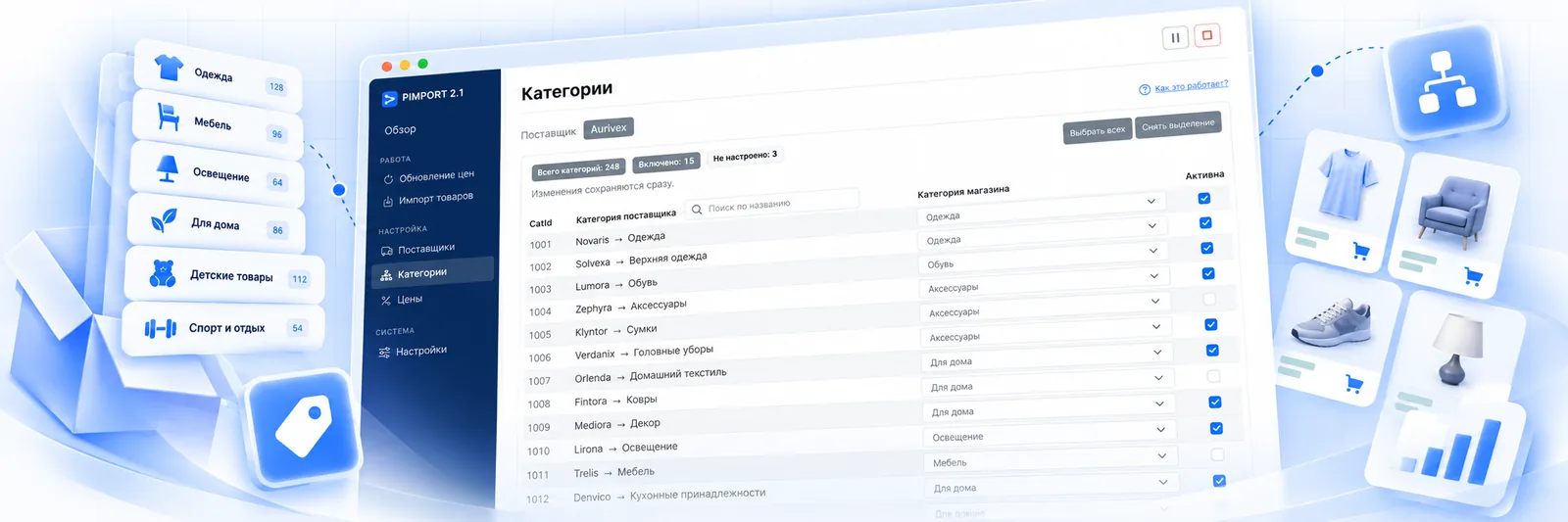
The screen where the setup actually happens: the supplier tree on the left, the store category on the right, an “Active” checkbox beside it. Anything unmapped or switched off simply does not get imported, so a feed of 40 categories can be taken in three.
Where this runs
The screen above is the same for any store: the supplier tree on the left, your tree on the right. Only the place the result gets written differs, and that is what the driver for a particular platform takes care of.

OpenCart
2.x · 3.x Setup and pricing →
WooCommerce
WordPress 5.6+ · WooCommerce 3.6+ Setup and pricing →
Shop-Script
8…12 · Webasyst Setup and pricing →
Joomla JoomShopping
JoomShopping Setup and pricing →The other screens
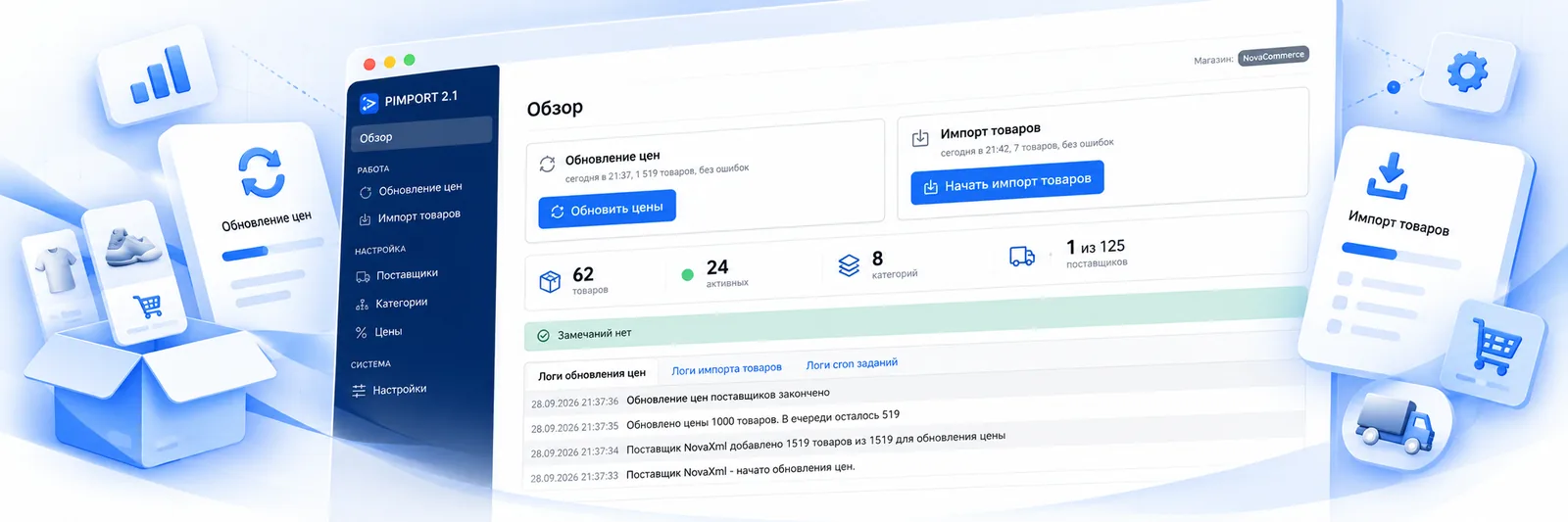
The first screen after logging in: when prices were last updated and products last created, how many products, categories and suppliers there are, and a log of recent events below.
 Open
Open
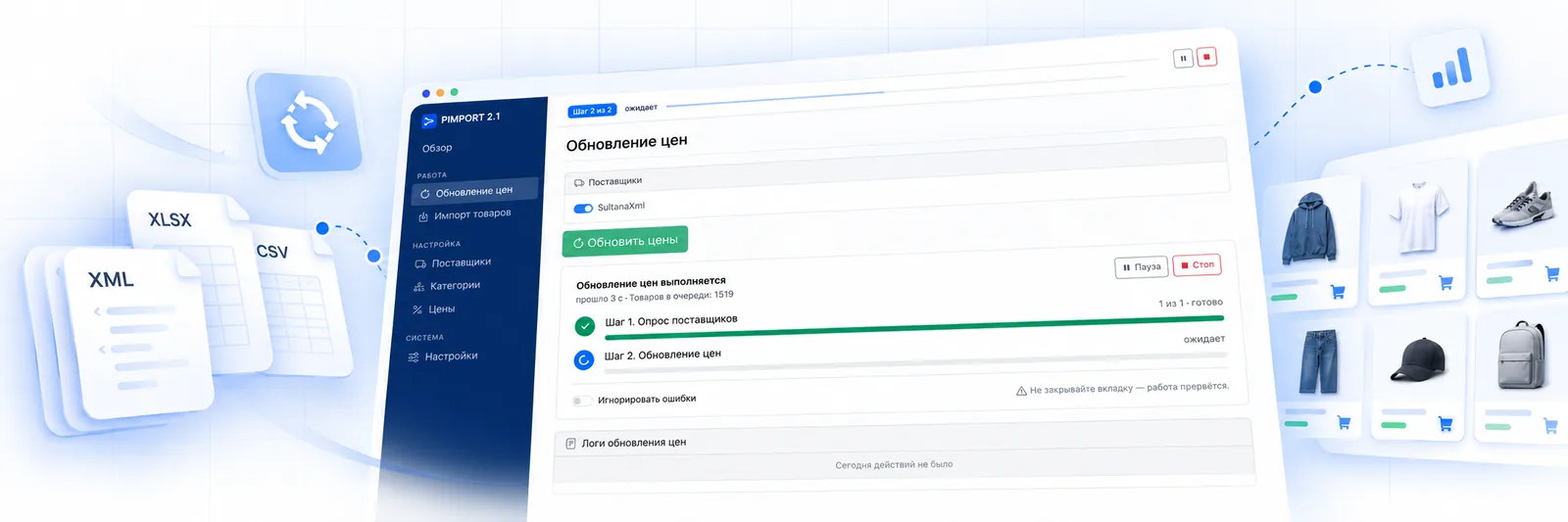
The light work that runs on a schedule: the program walks the products already created and changes price and stock. The queue, both steps and what is happening right now are all visible.
 Open
Open
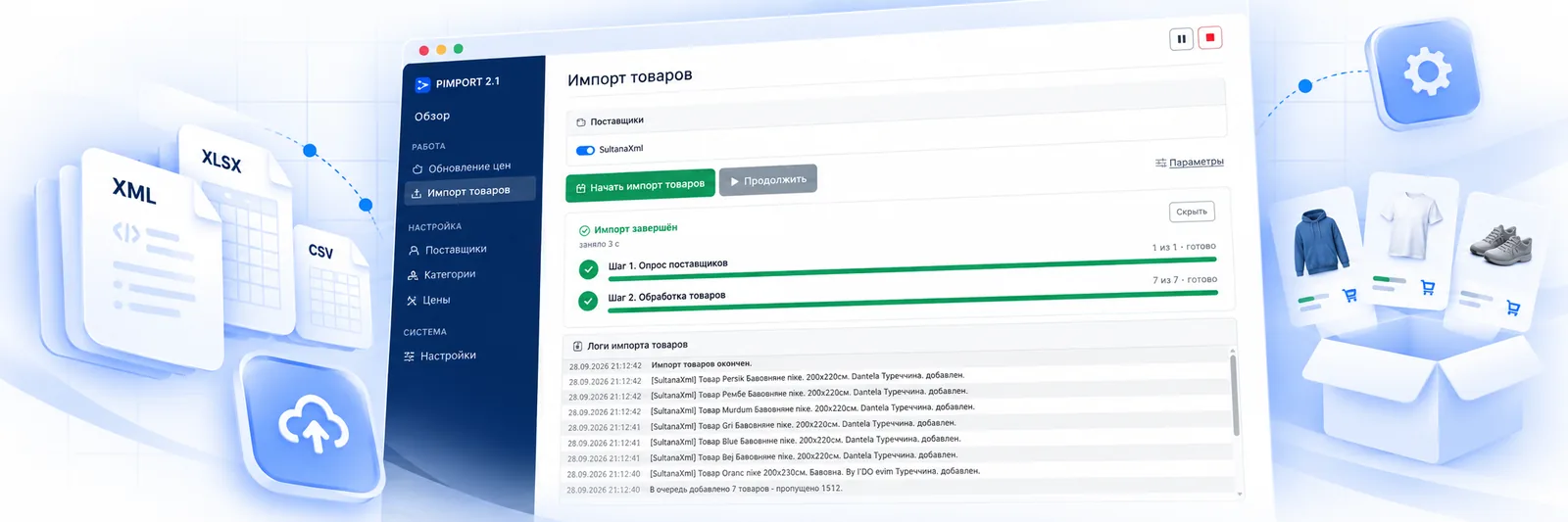
The heavy work, done rarely: first the suppliers are polled, then the products are processed. The log shows every product created and every one skipped, with the reason.
 Open
Open
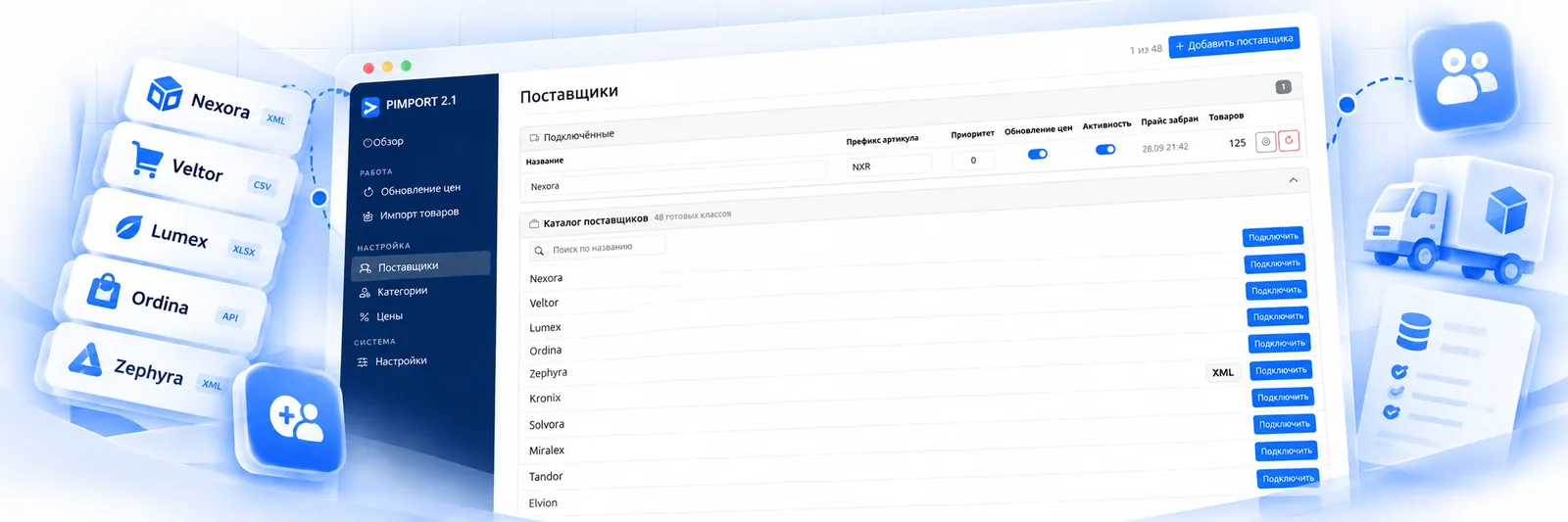
The connected ones on top, the catalogue of ready-made classes below. Name, SKU prefix, priority and the toggles are edited right in the row — opening the card is not required.
 Open
Open
The supplier tree on the left, the store category on the right, an “Active” checkbox. Counters on top: how many categories there are in total, how many are enabled and how many are still unpaired.
 Open
Open
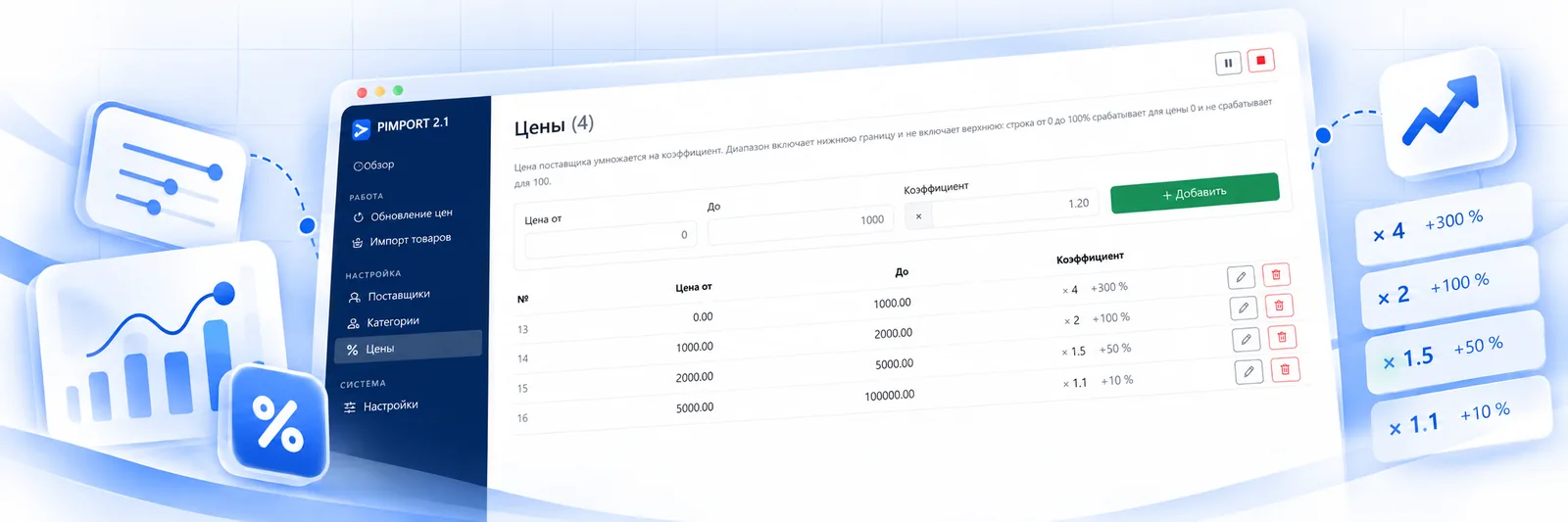
The supplier price is multiplied by a coefficient, and the ranges are set by price: one markup on cheap goods, another on expensive ones. Overlapping ranges will not save; gaps get a warning.
 Open
Open
A demo on your own feed
Screenshots are someone else's catalogue. The useful check is your own: send a link to the feed, and within a day you get 20 of your products the way the program reads them — with titles, specs, photos and the price after markup.