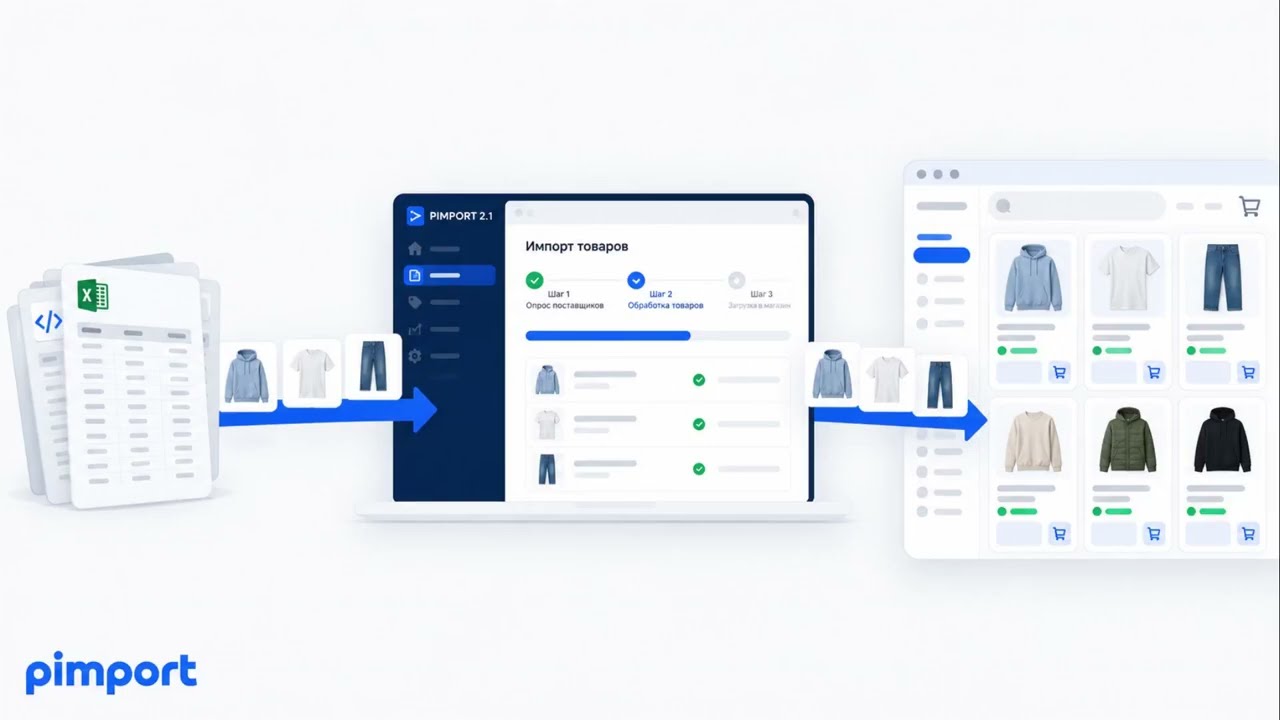
For WordPress 5.6 and newer with WooCommerce 3.6 and newer. Products, categories, attributes, photos and stock are written into the store tables — not through an import file and not through a middleman plugin.
WordPress 5.6+ · WooCommerce 3.6+ · a driver for this platform is written and in use
Products are created as simple ones: variable, grouped and external types are not created — supplier feeds do not carry that kind of data.
How it works in WooCommerce
the player loads only when you press play
A screen recording: a supplier feed on one side, products appearing in the store admin on the other.
Not through an import file: the program writes products, categories, prices and stock straight into the store database, the same way the admin panel does.
Keeps prices current
On the schedule you set. The supplier changed a price — the store changed it too, without anyone opening the admin panel.
Hides what is gone
An item that disappeared from the supplier feed is hidden, not deleted: the card, its address and its statistics wait for it to come back.
Adds new items
Into the category you mapped. Categories the supplier added later wait for your confirmation.
How a supplier is connected
4 steps · answer within a day
01
You send a request with a link to the feed
Store URL, platform, supplier link and a contact.
02
We show your products and name the price
20 items from your own feed — so you can see exactly what we take.
03
We install it and connect the supplier
We put the program on your hosting and connect the supplier. You map the categories and set the markup yourself in the admin panel.
04
The store updates on a schedule
Prices, stock and new items. Whatever is gone gets hidden.
What is needed
Access to hosting and databaseFTP or SSH and the store database. The program is installed next to the store, on your own hosting.
A supplier feedXML, YML, CSV or Excel. If there is no feed at all, data is collected from the supplier site — that costs more.
One cron jobSet up as part of the installation. Ordinary shared hosting is enough.