With one supplier, importing is a matter of format and schedule. A second one brings questions of a different kind: what to do when both carry the same product, whose price to show, how to fit two different category trees into your one. Here is how to organise data from several sources so the catalogue does not turn into a pile of duplicates.
First: how much the ranges overlap
Almost everything else depends on this. There are three patterns:
- The ranges do not overlap. One supplier sells tools, another plumbing. Each lives its own life, and the job comes down to a few independent connections.
- The ranges overlap, with separate product pages. The same product from two suppliers is two pages with different prices and lead times. Simple to set up, but shoppers see near-identical products in search.
- The ranges overlap, with one product page. The shopper sees one product backed by offers from several suppliers. Better for the shopper, harder to set up: the products have to be matched reliably.
Look at the actual feeds: what share of products coincides? At five per cent, separate pages may be a sensible compromise. At half, merging is most likely worth it.
Identifiers: one per supplier and one shared
Every supplier numbers products their own way, and code “1042” may appear at both — for completely different products. So products from different suppliers need different keys in the store. The simplest way is a supplier prefix in the SKU: “tools-1042” and “plumb-1042”.
To tell that two suppliers sell the same thing, you need a shared key that does not depend on the supplier:
- the manufacturer part number — the best option, if both suppliers give it and write it the same way;
- the barcode — reliable, but not every feed has one;
- the title — the last resort: a person will recognise “Bosch GSB 13 RE drill” and “Bosch GSB13RE impact drill” as one product, an exact comparison will not.
If only some products have a shared key, the rest stay as separate pages — that is fine, it just helps to know in advance. Why keys matter for an ordinary repeat import as well is covered in Repeat imports: avoiding duplicates.
Prices: bring them to one basis
Feeds from different suppliers are rarely comparable as they are:
- one quotes dollars, another the local currency;
- one gives wholesale prices, another recommended retail;
- one includes tax, another does not.
That is why price rules are set per supplier, sometimes per supplier and category together: the same markup on a wholesale and on a retail price gives different results. The price is converted to the store currency first, then markups are applied.
If there is one product page and several suppliers, you also have to decide whose price to show: the lowest, the lowest among those who have it in stock, or the main supplier’s. That is a business decision, not a technical one: the lowest price may belong to a supplier with week-long delivery. How the rules themselves are built is covered in How a product price is calculated.
Availability
With separate pages, each one shows its own supplier’s availability. With one page, a product is usually considered available if at least one supplier has it. Two things are worth thinking through in advance:
- stale data: if one of the feeds has not been refreshed for a while, its “in stock” means nothing any more;
- lead times: “the supplier has it” does not always mean “ships tomorrow” — if lead times differ, shoppers should see that.
Categories and descriptions
Every supplier has their own category tree. Each one has to be mapped separately: one supplier’s “Power tools / Drills” and another’s “Tools → Drilling” should both land in your “Drills and drivers”. Do not switch everything on: the more categories, the more products in your catalogue that you never meant to sell.
If the page is shared, decide whose description and photos it keeps. Usually that is the supplier with the best content, while the others contribute only price and availability. Otherwise the description will change from one update to the next.
Schedule
Suppliers refresh their feeds at different times: one hourly, another daily, a third whenever they remember. How often you update prices in the store should follow them, not a wish for “more often”. It matters more to watch that each supplier’s feed really is being refreshed: a frozen feed is the main source of wrong prices and availability.
How PIMPORT handles it
Each supplier is connected separately and gets its own SKU prefix — the field is required and cannot be left empty. So products from different suppliers do not get mixed up in the store, and identical codes do not overwrite each other.
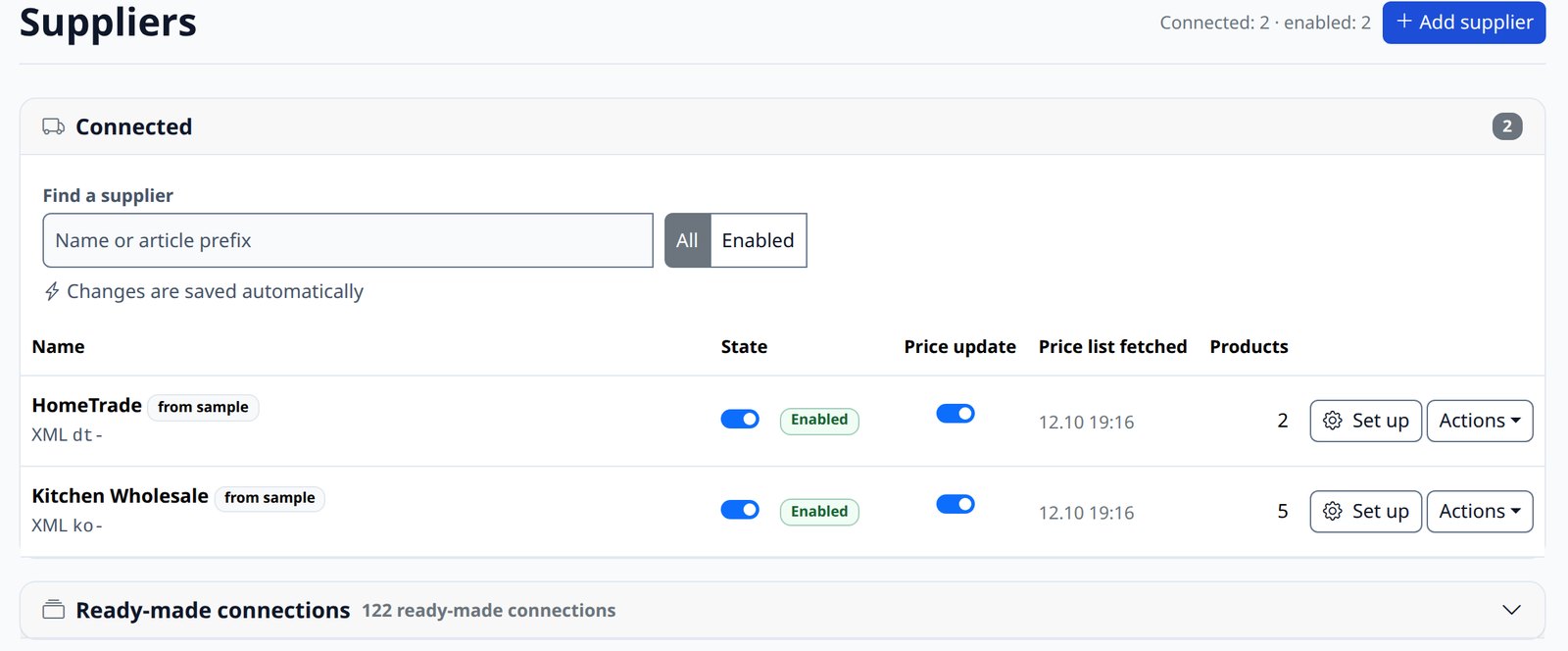
Rules are set per supplier or for all at once: markup — general, by store category, by supplier together with category and by price range; the supplier’s currency rate; product filters; stock rules. Categories are mapped separately for each supplier. The program sets no limit on the number of suppliers.
Without extra setup, the same product from two suppliers is two product pages. To combine them into one there is the Combined products plugin: it matches products by manufacturer part number, barcode or title. How reliably your particular products match depends on the data in the feeds, so we test the merging on your feeds before launch.
How a supplier is connected and what its fields mean is in the documentation: Connecting a supplier. The overall picture of import options is in How to import supplier products into your online store.
Checklist for several suppliers
- You know what share of the range overlaps.
- You have decided: separate pages or one shared page.
- Each supplier has its own prefix; for a shared page there is a shared key.
- Prices are in one currency, and the markup takes the price type into account.
- For a shared page you have decided whose price and description to show.
- Each supplier’s categories are mapped to yours.
- You can see when each supplier’s feed was last refreshed.